Introduction
Customer Relationship Management (CRM) is one of the most important tools for modern businesses, yet many beginners find it confusing or overwhelming at first. Whether you are a small business owner, a startup founder, or someone new to sales and marketing, understanding CRM can significantly improve how you manage customers and grow your business.
At its core, CRM is about building better relationships with your customers. It helps you organize information, track interactions, and create meaningful experiences that lead to long-term loyalty and increased revenue.
This comprehensive beginner’s guide will walk you through everything you need to know about CRM—from basic concepts and features to implementation strategies and best practices. By the end, you will have a clear understanding of how CRM works and how to use it effectively.
What is CRM?
Definition of CRM
Customer Relationship Management (CRM) refers to both a strategy and a technology used to manage interactions with customers and prospects. It involves collecting, organizing, and analyzing customer data to improve business relationships.
CRM software is the tool that enables this process by storing all customer-related information in one place.
Why CRM Matters
Without a CRM system, businesses often rely on scattered tools such as spreadsheets, emails, and notes. This leads to:
- Disorganized data
- Missed opportunities
- Inefficient workflows
CRM solves these problems by providing a centralized system that improves efficiency and decision-making.
How CRM Works
Centralized Data Management
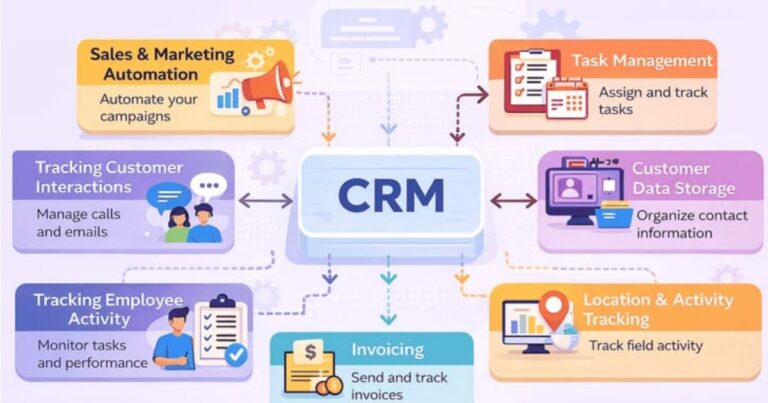
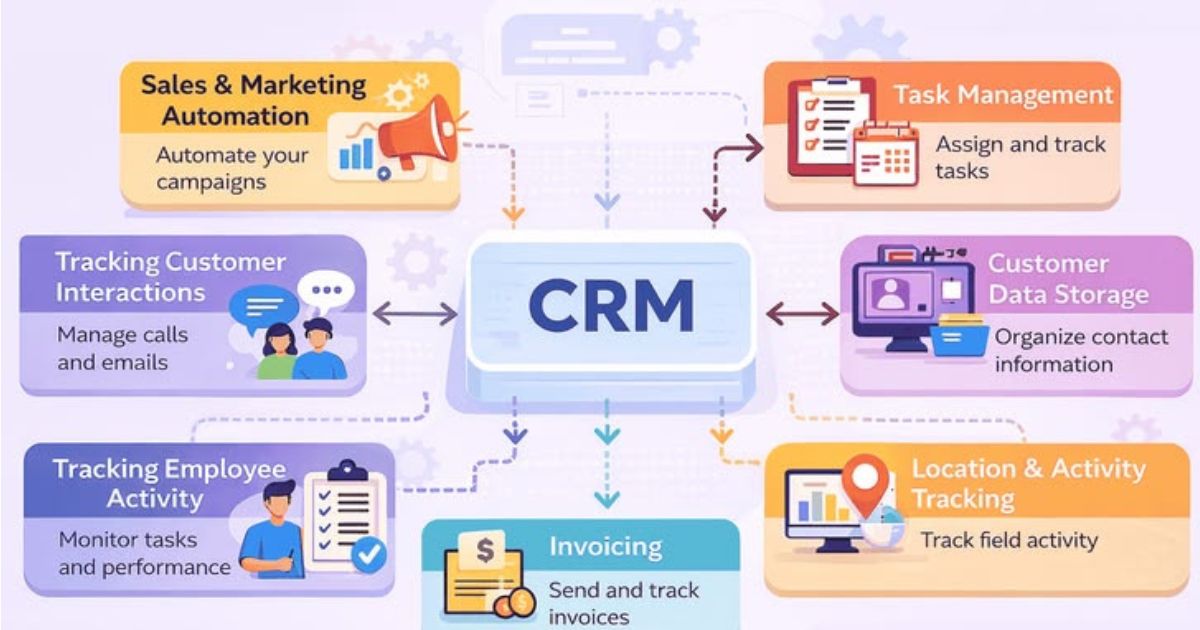
CRM systems store all customer data in one database, including:
- Contact information
- Communication history
- Purchase records
- Preferences
This allows teams to access accurate and up-to-date information at any time.
Tracking Customer Interactions
CRM software tracks every interaction with customers, such as:
- Emails
- Calls
- Meetings
- Website visits
This helps businesses understand customer behavior and improve engagement.
Automation of Processes
CRM systems automate repetitive tasks, including:
- Sending follow-up emails
- Assigning leads
- Scheduling reminders
Automation saves time and ensures consistency.
Types of CRM Systems
Operational CRM
Focuses on automating business processes like sales, marketing, and customer service.
Analytical CRM
Provides insights through data analysis and reporting.
Collaborative CRM
Enhances communication between teams and departments.
Key Features of CRM Software
Contact Management
Store and organize customer information in a structured way.
Sales Pipeline Management
Track the progress of deals from initial contact to final sale.
Marketing Automation
Automate campaigns and manage customer engagement.
Reporting and Analytics
Analyze data to make informed decisions.
Integration Capabilities
Connect CRM with other tools such as email, accounting, and e-commerce platforms.
Mobile Access
Access CRM data from anywhere using mobile devices.
Benefits of CRM for Beginners
Improved Organization
CRM systems keep all data in one place, reducing confusion and errors.
Better Customer Relationships
Personalized interactions lead to stronger relationships.
Increased Productivity
Automation and streamlined processes save time.
Higher Sales
Better lead management and follow-ups increase conversion rates.
Data-Driven Decisions
Insights from CRM help improve strategies and outcomes.
Who Should Use CRM?
Small Business Owners
CRM helps manage customers and grow the business efficiently.
Sales Teams
Track leads, manage deals, and close sales more effectively.
Marketing Teams
Run targeted campaigns and measure performance.
Customer Support Teams
Provide better service with access to customer history.
Common CRM Use Cases
Lead Management
Capture, track, and nurture leads through the sales funnel.
Customer Support
Manage customer inquiries and resolve issues efficiently.
Marketing Campaigns
Automate and track marketing efforts.
Sales Forecasting
Predict future sales based on data and trends.
How to Choose the Right CRM
Identify Your Needs
Consider:
- Business size
- Industry
- Budget
- Goals
Evaluate Features
Choose a CRM with features that match your needs.
Consider Ease of Use
A simple and intuitive interface is important for beginners.
Check Scalability
Ensure the CRM can grow with your business.
Look for Integrations
Make sure the CRM works with your existing tools.
Step-by-Step CRM Implementation Guide
Step 1: Define Your Goals
Determine what you want to achieve with CRM.
Step 2: Choose a CRM Platform
Select a tool that fits your needs and budget.
Step 3: Prepare Your Data
Clean and organize your existing customer data.
Step 4: Import Data into CRM
Transfer data into the system.
Step 5: Customize the CRM
Set up fields, workflows, and pipelines.
Step 6: Train Your Team
Ensure everyone knows how to use the system.
Step 7: Launch and Monitor
Start using the CRM and track performance.
Best Practices for CRM Beginners
Keep Data Clean
Regularly update and remove outdated information.
Start Simple
Focus on basic features before exploring advanced options.
Use Automation Wisely
Automate repetitive tasks but maintain a personal touch.
Track Key Metrics
Monitor performance indicators such as:
- Conversion rates
- Customer retention
- Sales growth
Common Mistakes to Avoid
Overcomplicating the System
Avoid adding unnecessary features.
Ignoring Training
Ensure all users understand how to use the CRM.
Poor Data Management
Inaccurate data reduces effectiveness.
Lack of Strategy
Define clear goals before implementing CRM.
CRM Tips for Success
Focus on Customer Experience
Always prioritize the customer.
Align Teams
Ensure sales, marketing, and support work together.
Continuously Improve
Regularly review and optimize your CRM usage.
Real-World Example
Small Business Scenario
A small business using CRM can:
- Track leads
- Automate follow-ups
- Improve customer relationships
This leads to increased sales and better customer retention.
CRM Tools for Beginners
Beginner-Friendly Options
Some CRM platforms are designed specifically for beginners, offering:
- Simple interfaces
- Easy setup
- Affordable pricing
Measuring CRM Success
Key Performance Indicators
- Sales growth
- Customer retention rate
- Conversion rate
- Customer satisfaction
Future Trends in CRM
Artificial Intelligence
AI will enhance automation and insights.
Personalization
CRM systems will offer more personalized experiences.
Mobile CRM
Mobile-friendly solutions will become more common.
Conclusion
CRM is a powerful tool that helps businesses manage customer relationships, improve efficiency, and drive growth. For beginners, understanding the basics and starting with simple features is key to success.
By choosing the right CRM, implementing it effectively, and following best practices, you can transform how your business operates and build stronger connections with your customers.
Investing in CRM is not just about technology—it is about creating better experiences and long-term value for your customers.